If you have ever watched a digital character’s hair sway, a video game banner flutter in the wind, or a cartoon piece of jelly bounce on a plate, you have already seen soft-body physics in action. It is one of the quieter pillars of modern computer graphics — easy to overlook when it works well, but instantly noticeable when it does not. This article walks through what soft-body physics actually is, how it differs from the more familiar rigid-body simulation, and the main techniques engines use to compute it.
Rigid Bodies vs. Soft Bodies
The traditional starting point in any physics engine is the rigid body: an object treated as if it cannot deform. A bouncing ball, a stack of crates, a car colliding with a wall — these are all simulated as solid shapes that can translate and rotate but never bend, stretch, or squish. Rigid-body physics is fast, well understood, and adequate for most game interactions.
A soft body, by contrast, is an object whose shape changes in response to forces. Push on it, and it deforms; release, and it springs back (or doesn’t, depending on the material). Examples include:
- Cloth: flags, capes, curtains
- Jelly-like solids: gelatin desserts, slime, soft toys
- Inflatables: balloons, beach balls, tires
- Organic tissue: skin, muscles, internal organs in medical simulations
- Hair and fur: long strands that respond to wind and motion
The defining trait is internal degrees of freedom. A rigid body has six (three for position, three for rotation). A soft body can have thousands or millions, because every point on its surface — and often inside it — can move somewhat independently.
Why Soft-Body Simulation Is Hard
Real materials behave in messy ways. A piece of rubber resists stretching but allows bending. A water balloon barely resists shape changes until it suddenly bursts. Skin slides over muscle, which slides over bone. Capturing all of this accurately requires solving partial differential equations that describe how stress and strain propagate through a continuous material.
For real-time applications — games, interactive demos, AR/VR — solving these equations exactly is far too slow. So the field has developed a handful of clever approximations that trade some physical accuracy for speed. The four most common are summarized below.
1. Mass-Spring Systems
The simplest and most widely used approach. The object is represented as a network of point masses connected by springs. Each spring resists stretching and compression according to Hooke’s law (force proportional to displacement), and the simulator integrates Newton’s equations forward in time.
A real cloth or jelly is a mesh of point masses connected by springs — each node is a particle, each line is a spring that resists stretching:
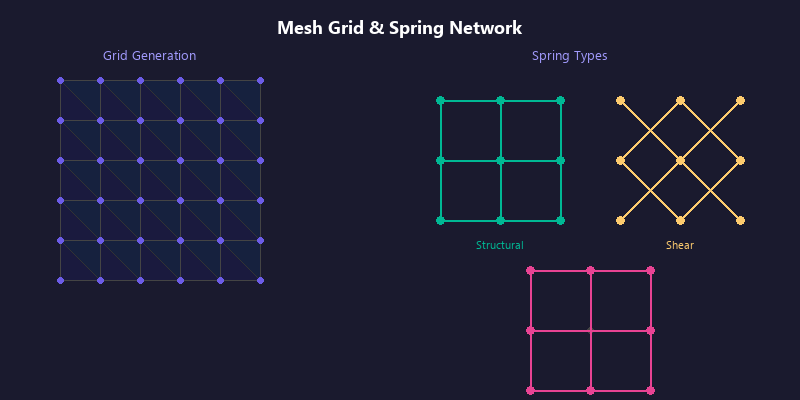
A real-world simulation might have thousands of these nodes. Push one and the spring forces ripple outward, producing the familiar wobble — every node’s motion depends on its neighbors.
- Pros: easy to implement, fast, works on the GPU
- Cons: not volume-preserving without extra constraints; springs can “explode” if the time step is too large
It is worth knowing what the network buys you, because it is not always needed. How WobblePic’s Physics Simulation Works takes the springs out — anchoring every vertex to its own starting position instead of to its neighbours — which is enough when the deformation is imposed by the user’s grab rather than propagated through the material, and turns a coupled system into a few hundred thousand independent ones.
2. Finite Element Method (FEM)
The object is divided into small tetrahedral or hexahedral elements, and the equations of continuum mechanics are solved within each one. Used heavily in engineering simulations (crash testing, aerospace stress analysis) and increasingly in high-end VFX.
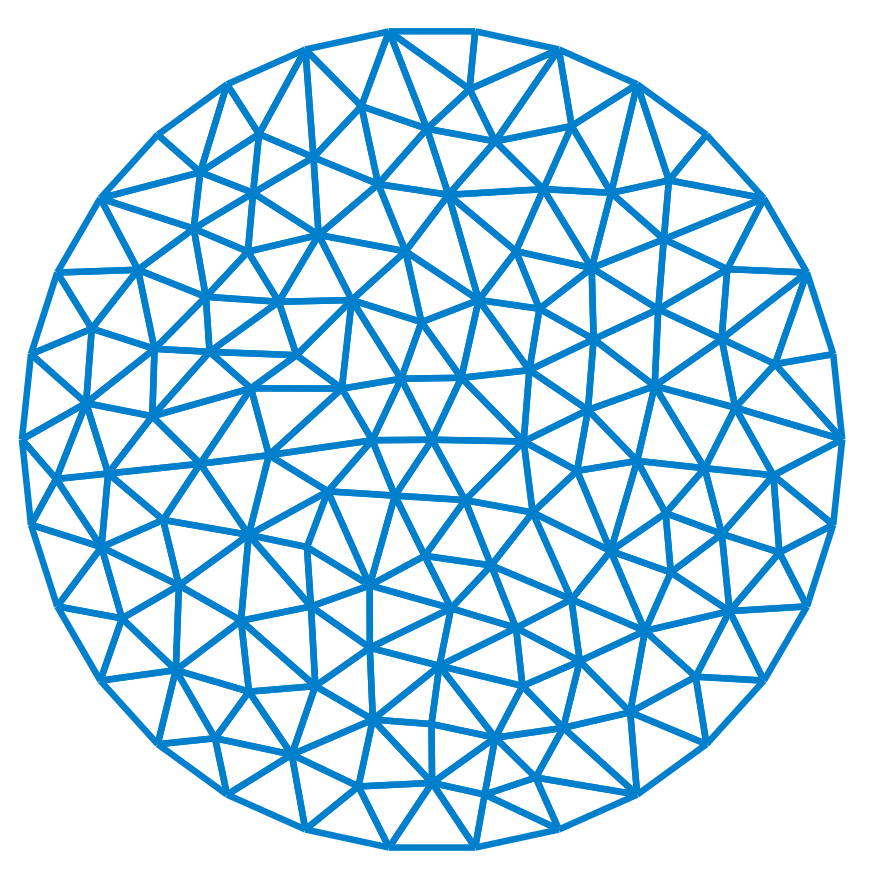
- Pros: physically accurate; handles complex materials (anisotropic, hyperelastic)
- Cons: computationally expensive; harder to make stable in real time
Wikipedia’s Finite element method article covers the underlying theory.
3. Position-Based Dynamics (PBD)
Instead of computing forces and integrating, PBD directly manipulates particle positions to satisfy constraints (distance, volume, bending). Popularized by Müller et al. in 2007, it is now the backbone of many real-time cloth and rope simulations.
flowchart LR
    A["Predicted positions<br/>(gravity + velocity)"] --> B["Project to satisfy<br/>constraints<br/>(distance, volume, bending)"]
    B --> C["Update velocities<br/>from corrected positions"]
    C --> A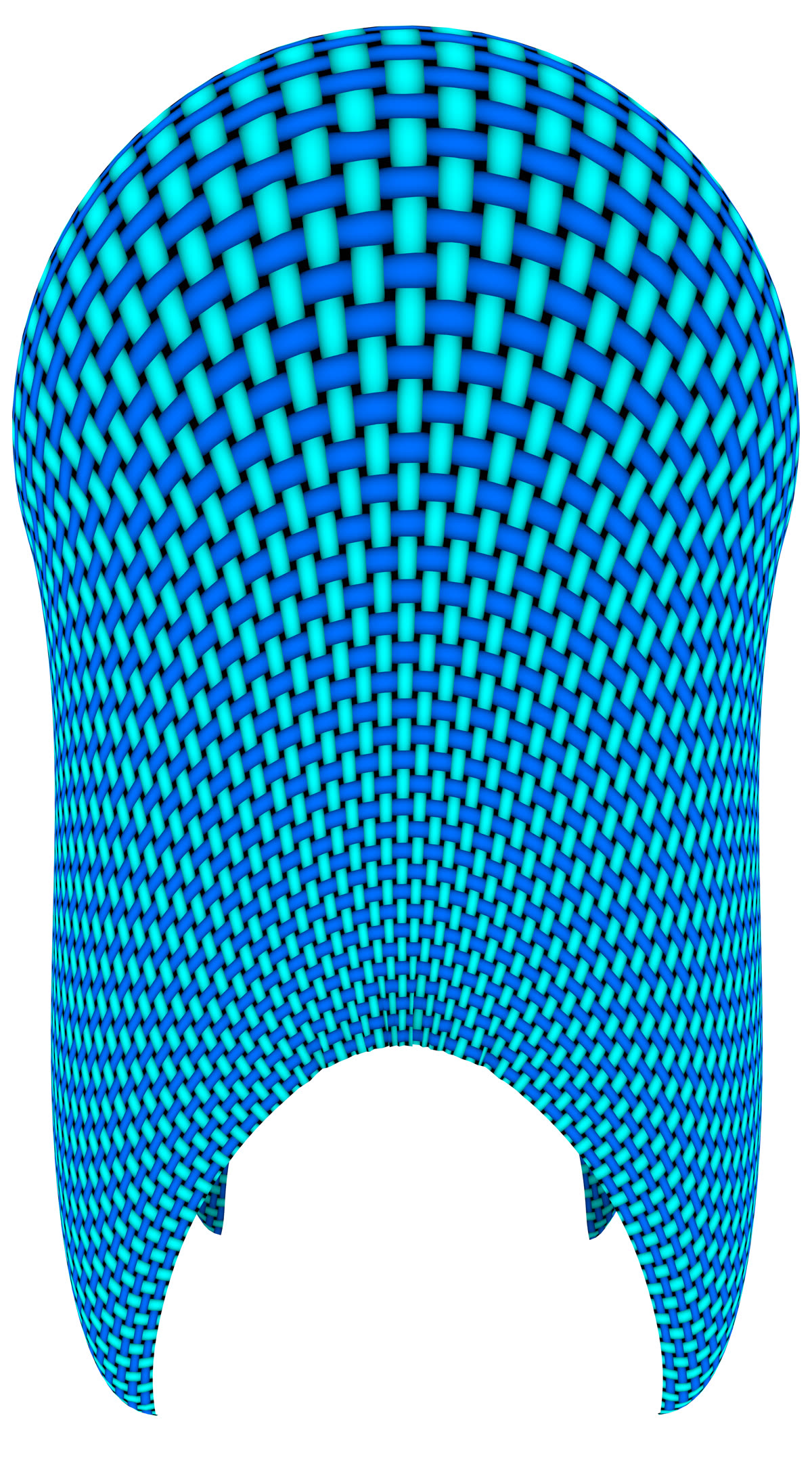
- Pros: very stable, well-suited to games, easy to tune visually
- Cons: not strictly physically correct; behavior depends on iteration count
Müller et al.’s 2007 paper Position Based Dynamics (PDF) is the original and still the clearest read.
4. Particle / Smoothed-Particle Hydrodynamics (SPH)
Models the body as a cloud of particles that interact through smoothing kernels. Originally developed for astrophysics and now common in fluid simulation, SPH can also handle soft solids.
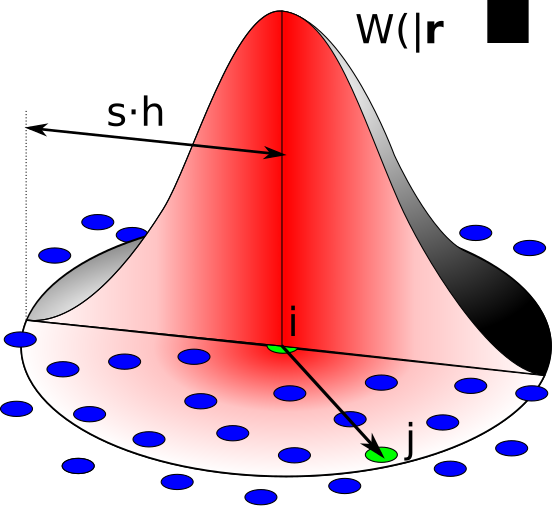
- Pros: handles topology changes (tearing, melting) naturally
- Cons: high particle counts needed for visual quality
Müller et al.’s 2003 paper Particle-Based Fluid Simulation for Interactive Applications (PDF) introduced SPH to the real-time graphics community.
Comparison at a Glance
The four methods sit at different points on the speed-vs-accuracy plane:
quadrantChart
    title Soft-body simulation methods
    x-axis Slow --> Fast
    y-axis Approximate --> Accurate
    quadrant-1 " "
    quadrant-2 " "
    quadrant-3 " "
    quadrant-4 " "
    Mass-Spring: [0.85, 0.4]
    FEM: [0.15, 0.95]
    PBD: [0.95, 0.5]
    SPH: [0.4, 0.7]
And in tabular form:
| Method | Speed | Accuracy | Best for |
|---|---|---|---|
| Mass-Spring | Fast | Low–Medium | Games, real-time effects, prototypes |
| FEM | Slow | High | Engineering, film VFX, medical sims |
| PBD | Very fast | Medium | Cloth, ropes, hair in games |
| SPH | Medium–Slow | Medium–High | Fluids, melting, tearing |
Where You See Soft-Body Physics Today
- Video games: cloth capes (almost universal in modern AAA titles), rope bridges, ragdolls, deformable terrain
- Animated film: every Pixar film since Monsters, Inc. (Sully’s fur) leans heavily on soft-body simulation
- Medical training: surgical simulators model tissue using FEM so trainees can practice incisions safely
- Engineering: car crash tests are now mostly virtual, with FEM solvers replacing destroyed prototypes
- Interactive web demos: lightweight mass-spring or PBD systems running directly in the browser via WebGL or WebGPU
A Practical Note on “Realism”
It is tempting to assume that more accurate physics always looks better. In practice, the opposite is often true. Audiences expect a certain stylized response — a beach ball that wobbles a little too much, a cape that sways a little too dramatically — because that exaggeration reads as “alive.” Engineers building soft-body systems for entertainment routinely tune parameters away from physical truth toward what feels right. The most successful real-time engines are those that give artists clear, intuitive controls over that trade-off rather than chasing strict physical accuracy.
Where to Go Next
If this overview sparked your curiosity, two good next stops are:
- The Nealen et al. 2006 STAR survey — a 24-page academic overview of the whole deformable-models field, covering mass-spring, FEM, meshless and reduced-deformation methods in one place.
- Matthias Müller’s Ten Minute Physics YouTube series, which walks through working implementations of cloth, fluid, and soft-body simulators in JavaScript.
Soft-body physics has quietly become one of the most visually impactful techniques in real-time graphics. The next time you see a character’s hair flow naturally or a cartoon dessert wobble convincingly, you will know there is a small army of springs, particles, or finite elements making it happen.
If you want to see spring physics running on photographs in real time, WobblePic is a free desktop app that does exactly that — and How WobblePic’s Physics Simulation Works covers how far the model can be simplified when the material only has to spring back, not propagate.